
 No products in the cart.
- Out Of Stock
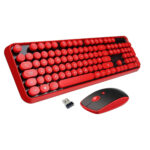
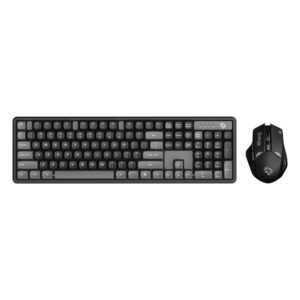 - Enhance your gaming setup with the Porodo Gaming Design Wireless Arabic Keyboard Mouse Set PDX225-GYB. - Features a sleek, ergonomic design for comfortable use. - Wireless connectivity ensures a clutter-free desk. - Arabic key layout for regional convenience. - Durable build for long-lasting performance. - Ideal for gamers seeking style and functionality.
PORODO GAMING DESIGN WIRELESS ARABIC KEYBPARD MOUSE SET PDX225-GYB
Original price was: OMR11.800.OMR7.800Current price is: OMR7.800. - Out Of Stock
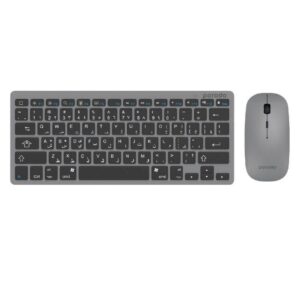 Porodo Bluetooth Keyboard and mouse, a good stylish and complete pack of what you need. Porodo Wireless Super Slim Keyboard has been designed in a portable way. Its connectivity is by Bluetooth version 4.0, Bluetooth is compatible with more devices because you can use its peripherals with devices that don’t have USB-A ports. The working distance for this wireless keyboard is up to ten meters. It has been designed to be the most portable one. Bring it anywhere where you need a mouse or keyboard, it is enough compact and lightweight to be carried without any hesitation. One of the options about this mouse is that you can adjust the DPI. All you need is just put the batteries and pair them with your device. For the pairing process please refer to User Manual inside the box.
PORODO SLIM BLUETOOTH KEYBOARD-MOUSE ARABIC GRAY PD-BTKBMCO-GY
Original price was: OMR10.900.OMR7.900Current price is: OMR7.900. - Out Of Stock
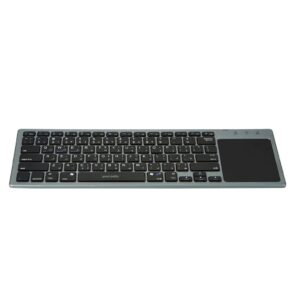 Porodo Wireless Keyboard comes with an attached Touchpad. this lightweight product can be carried around without any effort. You can have two options in one product, a keyboard, and a mouse. The built-in Bluetooth version 5.0 function allows the devices to easily connect to any laptop, PC, and smart device. The touchpad has been designed on the right side of the keyboard, and it is enough stylish to make you feel good when you are using it. You can use one finger to click left and tap two fingers for right-click, tap one finger and use another finger for drag, use two fingers for the mouse wheel so you can scroll up and down, scratch two-finger to zoom in and out. By the sleeping time option, you can be sure that you will have a durable, long-life battery. To connect the keyboard to the device Switch on the keyboard, press the "fn+c" button, then you will see the blue led flash. Bluetooth is looking for the paired device then open computer/iPad Bluetooth, start to search device, find "BT-TP KB PORODO", click it to connect, input the code shown on the screen, then press Enter key, connect success.
PORODO WIRELESS ULTRA SLIM BLUETOOTH KEYBOARD WITH TOUCH PAD GRAY PDWKBTP-GY
OMR9.900 - Out Of Stock
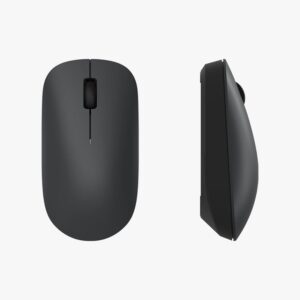 Simple and lightweight, no longer bound by wires 2.4GHz wireless | Simple design | Solid grip
XIAOMI WIRELESS MOUSE LITE BLACK DXMWXSB01YM
Original price was: OMR8.500.OMR4.500Current price is: OMR4.500.