
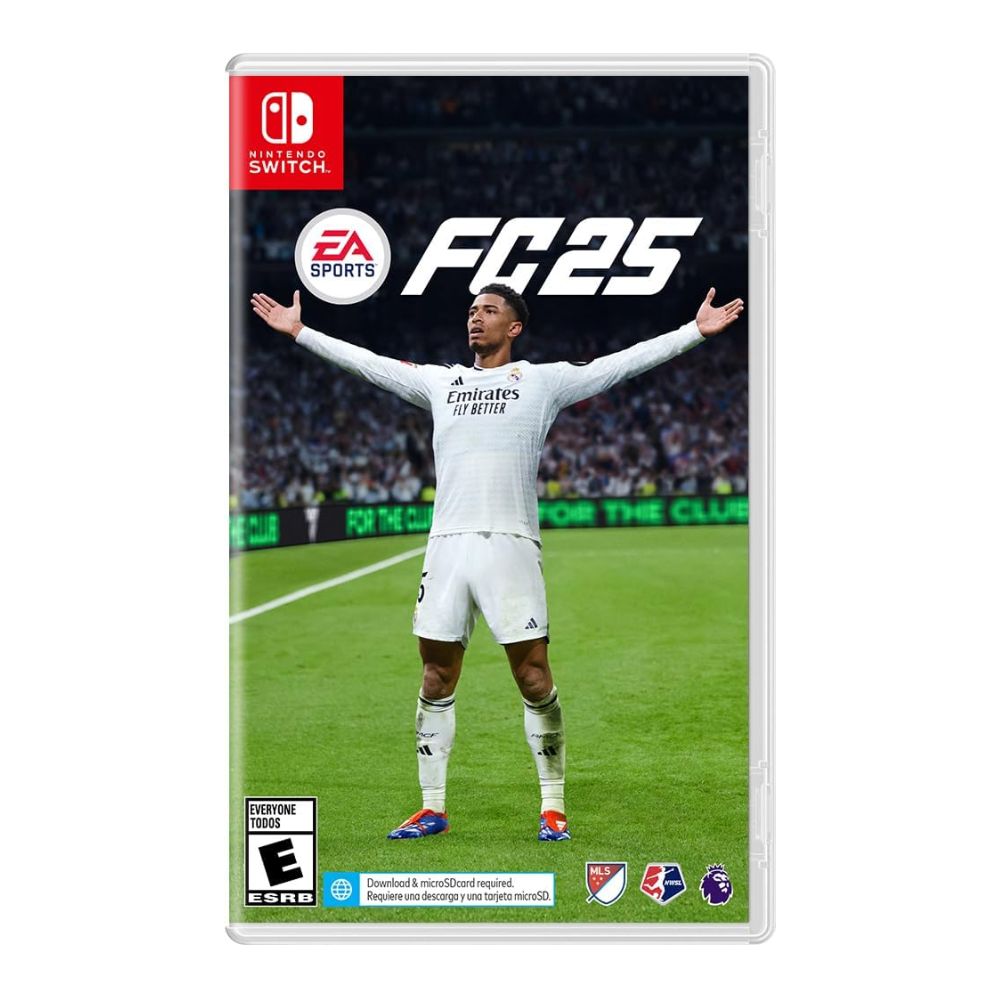
Pitch Notes: Dive deep into the Nintendo Switch version of EA SPORTS FC 25
The ultimate soccer experience built for on-the-go gaming. Whether you’re a seasoned player or just discovering the thrill of the game, this edition is optimized to deliver fast-paced, immersive gameplay in English, directly on your favorite handheld console.
Key Features:
-
⚽ Exclusive Handheld Features – Enjoy intuitive touchscreen zoom and navigation tailored for Nintendo Switch players.
-
🎮 Joy-Con Multiplayer – Play co-op or head-to-head matches with a single set of Joy-Con controllers for easy, on-the-go fun.
-
📶 Offline Local Seasons Mode – Challenge friends nearby without needing internet access, keeping the competition going anywhere.
-
🔁 EA SPORTS Realism – Authentic clubs, players, and stadiums bring real-world soccer excitement to life.
-
🗣️ English Language Version – Full support for English menus, commentary, and in-game text for smooth gameplay and understanding.
EA SPORTS FC™ 25 for Nintendo Switch redefines handheld soccer gaming with immersive features, multiplayer flexibility, and local competition. Perfect for fans of the beautiful game, this title brings the excitement of football wherever you go.
Touchscreen Zoom & Touchscreen Navigation
When playing the game in handheld mode, you will be able to interact with the screen and zoom in and out by using the pinch-to-zoom technique:
Touch the screen with two fingers.
To zoom in, move your fingers away from one another, while touching the screen.
To zoom out, move your fingers closer to one another, while touching the screen.
Releasing the screen will maintain the zoom % at the current level for five seconds, after which it will default back to 100%.
You can also navigate through the menus or set up match instructions just by using the Touchscreen support. Simply tap on any interactive button or element within the game to select it.
Touchscreen support does not extend to gameplay, and both options can be turned on or off by going to the “Accessibility” menu in “Game Settings.”


Single Joy-Con™ controller multiplayer
Split Joy-Con support allows you and your friends to play multiplayer co-op or 1v1 using a single set of Joy-Con controllers.
The feature can be enabled in the “Select a Side” screen by pressing the Y button.

From here, you can change the controllers by pressing the SL and SR buttons simultaneously on each Joy-Con.

Once you’ve settled on the desired configuration, you can press ready on each Joy-Con to return to the game.

Local Seasons
Local Seasons is a unique mode on Nintendo Switch that allows you to play with another Nintendo Switch player if you are within close proximity of each other (about 30 feet or so).
It relies solely on the system’s built-in Wi-Fi so that you can play even if you’re not connected to a network, making it a great way for you and your friends to enjoy EA SPORTS FC 25 while travelling or in remote locations with limited network availability.
To access the mode, you can go to “Local Seasons” from the Main Menu and select “Enter seasons” at the same time as the other system.

Once the matchmaking occurs, make your selections and proceed to gameplay.

Thanks for checking out our Nintendo Switch Pitch Notes! We’re very excited to share with you some of the changes that are available for the Nintendo Switch system. We look forward to you experiencing all the other new changes and additions the game has to offer. Learn more about FC 25 innovation on Nintendo Switch.
– The EA SPORTS FC Team






 No products in the cart.
Reviews
There are no reviews yet.